
Hello!

I'm Pallavi,

a product designer.

Turning messy product problems into clean, scalable experiences, with a little help from AI and a lot of product sense.

UX research

UI design

My Selected Works

A closer look at the products I shaped, the problems I simplified, and the design decisions that made them work for real users.
Landing Page Builder

PRODUCT DESIGN

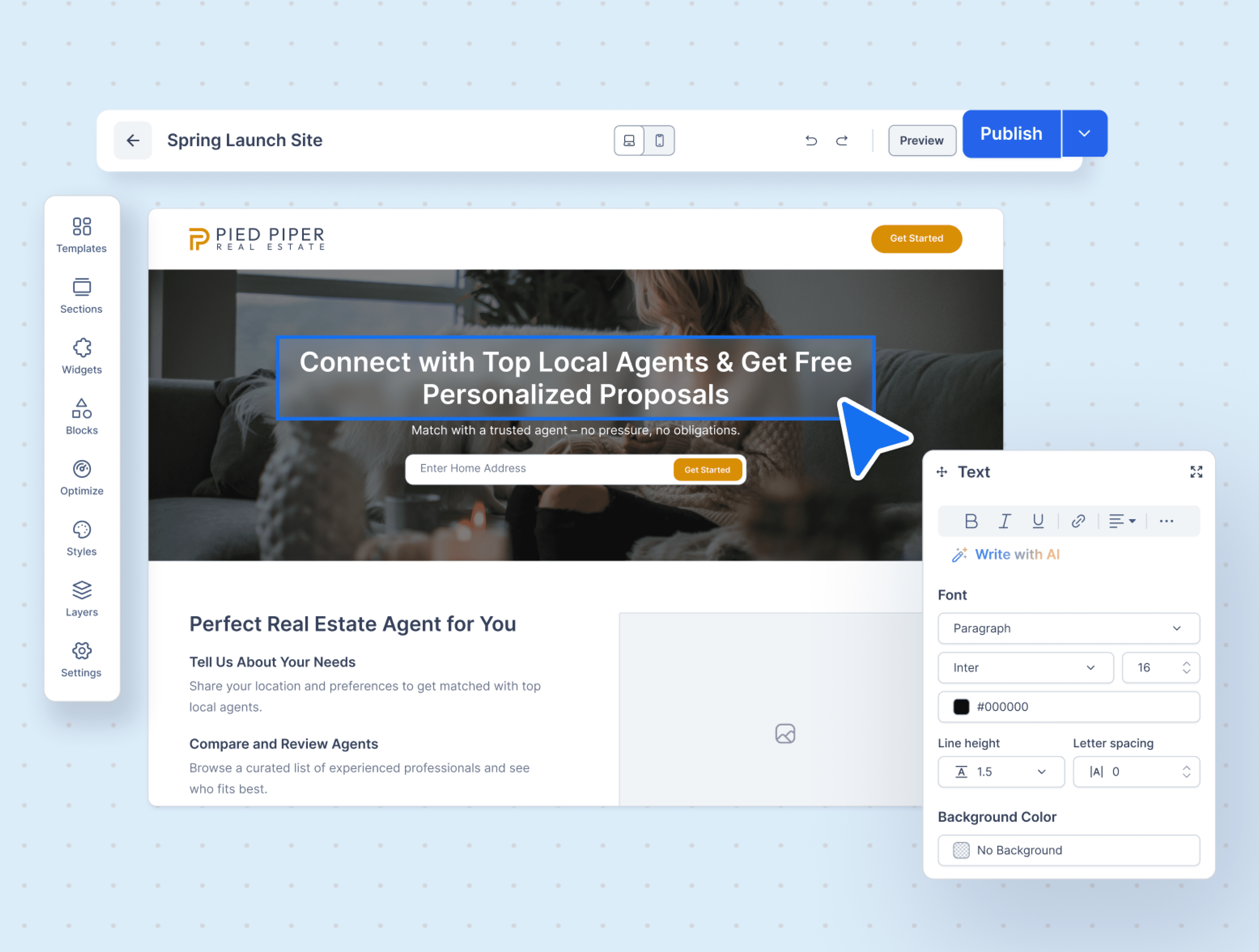
Designed a flexible landing page builder that enabled real estate agents to create, customize, and publish pages independently, transforming a limited editor into a simple, scalable self-serve website creation tool.

Homepage thumbnail placeholder

Landing Page Builder

PRODUCT DESIGN

Designed a flexible landing page builder that enabled real estate agents to create, customize, and publish pages independently, transforming a limited editor into a simple, scalable self-serve website creation tool.

Homepage thumbnail placeholder

Landing Page Builder

PRODUCT DESIGN

Designed a flexible landing page builder that enabled real estate agents to create, customize, and publish pages independently, transforming a limited editor into a simple, scalable self-serve website creation tool.

Homepage thumbnail placeholder

Media Library

PRODUCT DESIGN, AI EXPERIENCE

A unified media library that helped users upload, manage, generate, and reuse images across the platform. With stock image integrations and AI image generation, it made asset management faster and more consistent.

Homepage thumbnail placeholder

Media Library

PRODUCT DESIGN, AI EXPERIENCE

A unified media library that helped users upload, manage, generate, and reuse images across the platform. With stock image integrations and AI image generation, it made asset management faster and more consistent.

Homepage thumbnail placeholder

Media Library

PRODUCT DESIGN, AI EXPERIENCE

A unified media library that helped users upload, manage, generate, and reuse images across the platform. With stock image integrations and AI image generation, it made asset management faster and more consistent.

Homepage thumbnail placeholder

Film Forum

UX CASE STUDY, MOBILE APP DESIGN

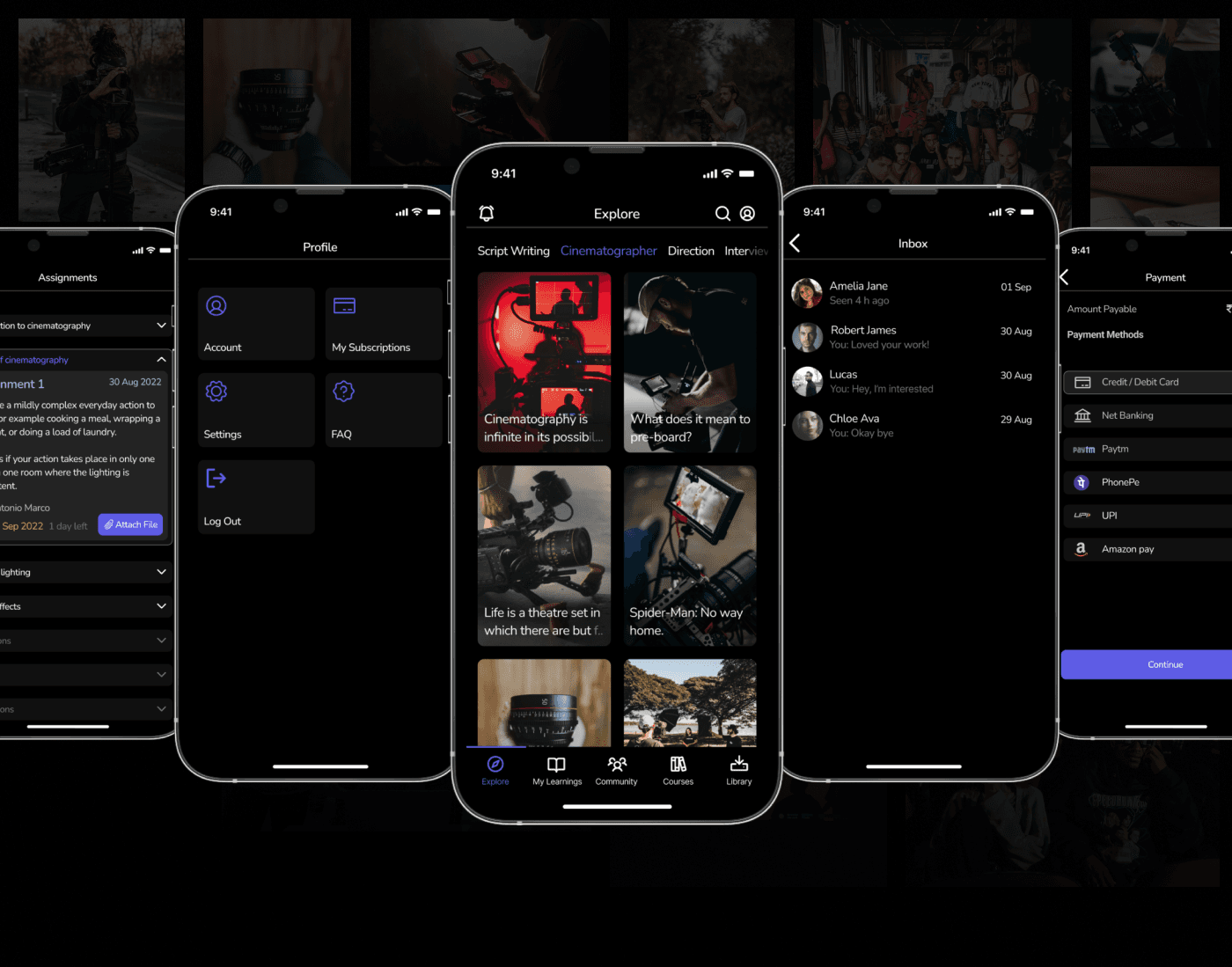
A mobile app experience for film enthusiasts and learners to explore courses, track learning, and access resources in one place. The case study focused on simplifying discovery, improving navigation, and creating an engaging learning journey.

Homepage thumbnail placeholder

Film Forum

UX CASE STUDY, MOBILE APP DESIGN

A mobile app experience for film enthusiasts and learners to explore courses, track learning, and access resources in one place. The case study focused on simplifying discovery, improving navigation, and creating an engaging learning journey.

Homepage thumbnail placeholder

Film Forum

UX CASE STUDY, MOBILE APP DESIGN

A mobile app experience for film enthusiasts and learners to explore courses, track learning, and access resources in one place. The case study focused on simplifying discovery, improving navigation, and creating an engaging learning journey.

Homepage thumbnail placeholder

QuickTalk

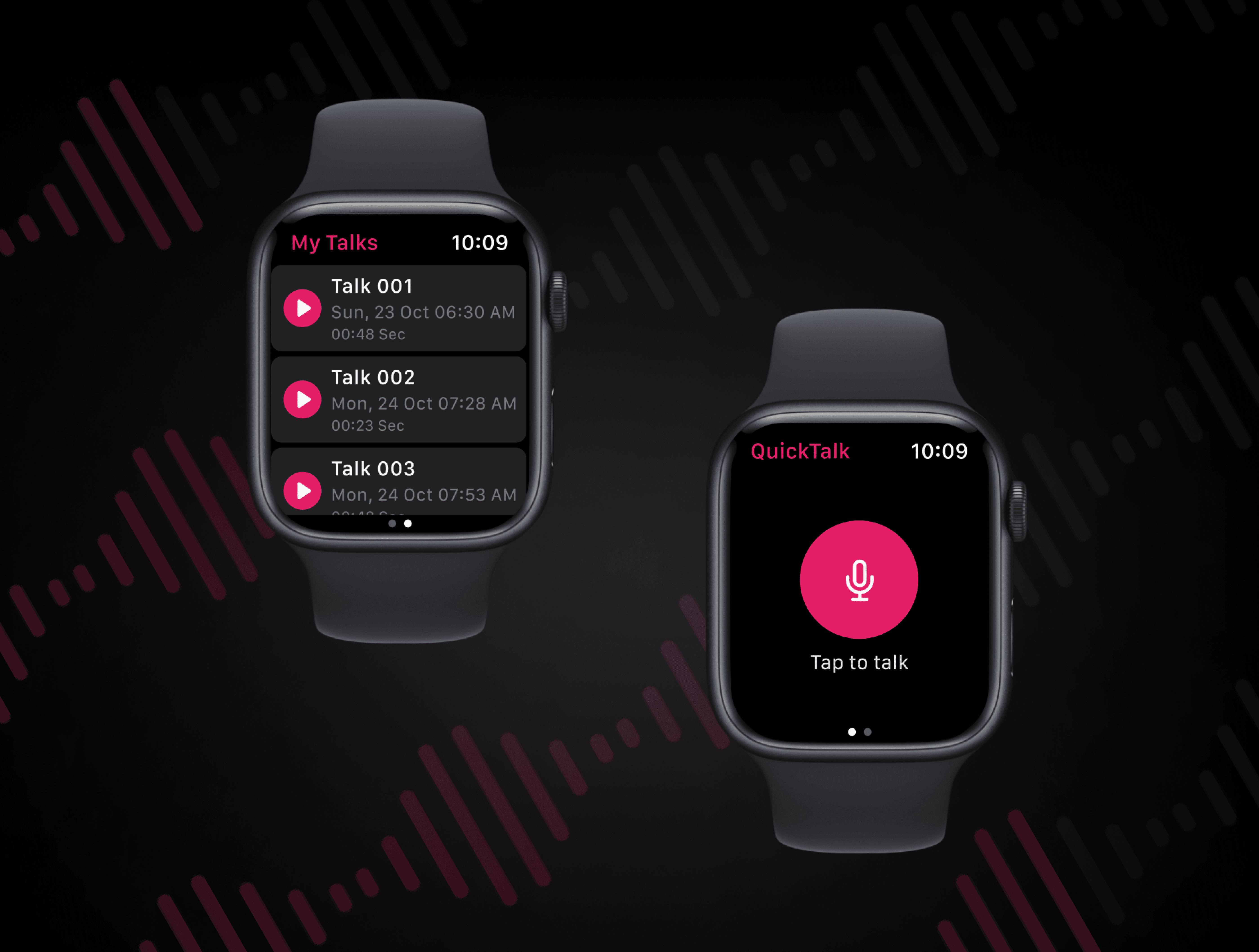
QuickTalk is a concept Apple Watch app designed during a design workshop. The idea was to create a simple, wrist-first voice journaling experience that lets users quickly capture thoughts, reminders, and ideas without needing to open their phone.

Homepage thumbnail placeholder

QuickTalk

QuickTalk is a concept Apple Watch app designed during a design workshop. The idea was to create a simple, wrist-first voice journaling experience that lets users quickly capture thoughts, reminders, and ideas without needing to open their phone.

Homepage thumbnail placeholder

QuickTalk

QuickTalk is a concept Apple Watch app designed during a design workshop. The idea was to create a simple, wrist-first voice journaling experience that lets users quickly capture thoughts, reminders, and ideas without needing to open their phone.

Homepage thumbnail placeholder

Explore more of my work

Good design feels simple, never accidental

Behind every clean screen is a lot of questioning, mapping, testing, and tiny detail-fixing. This is how I turn messy product problems into experiences that feel simple, scalable, and actually usable.

(01)

Understand the Why

Before opening Figma, I try to understand the real problem behind the request. I look at user needs, business goals, existing product behavior, edge cases, and constraints so the design is not just visually better, but directionally right.

(01)

Understand the Why

Before opening Figma, I try to understand the real problem behind the request. I look at user needs, business goals, existing product behavior, edge cases, and constraints so the design is not just visually better, but directionally right.

(02)

Map the Mess

I break down complex flows into user journeys, decision points, dependencies, and possible drop-offs. This helps me spot friction early, simplify the experience, and make sure the product works for real users, not just ideal scenarios.

(02)

Map the Mess

I break down complex flows into user journeys, decision points, dependencies, and possible drop-offs. This helps me spot friction early, simplify the experience, and make sure the product works for real users, not just ideal scenarios.

(03)

Design with Details

My QA background trained me to notice the tiny things: inconsistent states, missing feedback, unclear actions, empty states, error cases, and interactions that might confuse users. I design with these details in mind so the final experience feels polished, reliable, and easy to use.

(03)

Design with Details

My QA background trained me to notice the tiny things: inconsistent states, missing feedback, unclear actions, empty states, error cases, and interactions that might confuse users. I design with these details in mind so the final experience feels polished, reliable, and easy to use.

(04)

Use AI to Move Faster, Not Lazier

I use AI to explore ideas faster, create early concepts, visualize directions, write clearer copy, and communicate design thinking better. It helps me speed up the process while still keeping the final decisions intentional and user-focused.

(04)

Use AI to Move Faster, Not Lazier

I use AI to explore ideas faster, create early concepts, visualize directions, write clearer copy, and communicate design thinking better. It helps me speed up the process while still keeping the final decisions intentional and user-focused.

Design stack

Tools I keep in motion

Tools I keep in motion

A lightweight toolkit for mapping ideas, shaping interfaces, and moving from concept to prototype without losing momentum.

A lightweight toolkit for mapping ideas, shaping interfaces, and moving from concept to prototype without losing momentum.

Figma logo placeholder

Figma

Design systems, flows, and prototypes.

Lovable logo placeholder

Lovable

Rapid product concepts that feel real.

Claude logo placeholder

Claude

Sharper thinking, copy, and brainstorming.

v0 by Vercel logo placeholder

v0 by Vercel

Interface ideas, instantly prototyped.

Miro logo placeholder

Miro

Workshops, maps, and messy early thinking.

Canva logo placeholder

Canva

Quick storytelling assets and polish.

Hey! That’s me.

I’m Pallavi, a Product Designer who enjoys turning messy product problems into simple, scalable, and surprisingly usable experiences.

My background in QA shaped the way I design today, I look beyond how a screen looks and think deeply about how it behaves, where users might get stuck, and how every small interaction impacts the overall experience.

I use AI actively in my design process to explore ideas faster, visualize concepts better, and communicate more clearly. For me, good design is not just about polished UI; it is about creating thoughtful, scalable experiences that feel effortless for users and are built with intention down to the smallest detail.

My Capabilities

From research to refined UI, these are the skills I bring into every product problem, design decision, and experience I craft.

UI Design

AI-Assisted Design

UX Research

Self-Serve Experiences

Dashboard Design

Scalable Design System

Prototyping

Accessible Design